Built-in Policies
LangGuard includes 10 pre-configured policies covering security, compliance, cost, and audit governance. Each policy is written in Rego and evaluated by the OPA engine as traces are ingested.
Security Policies
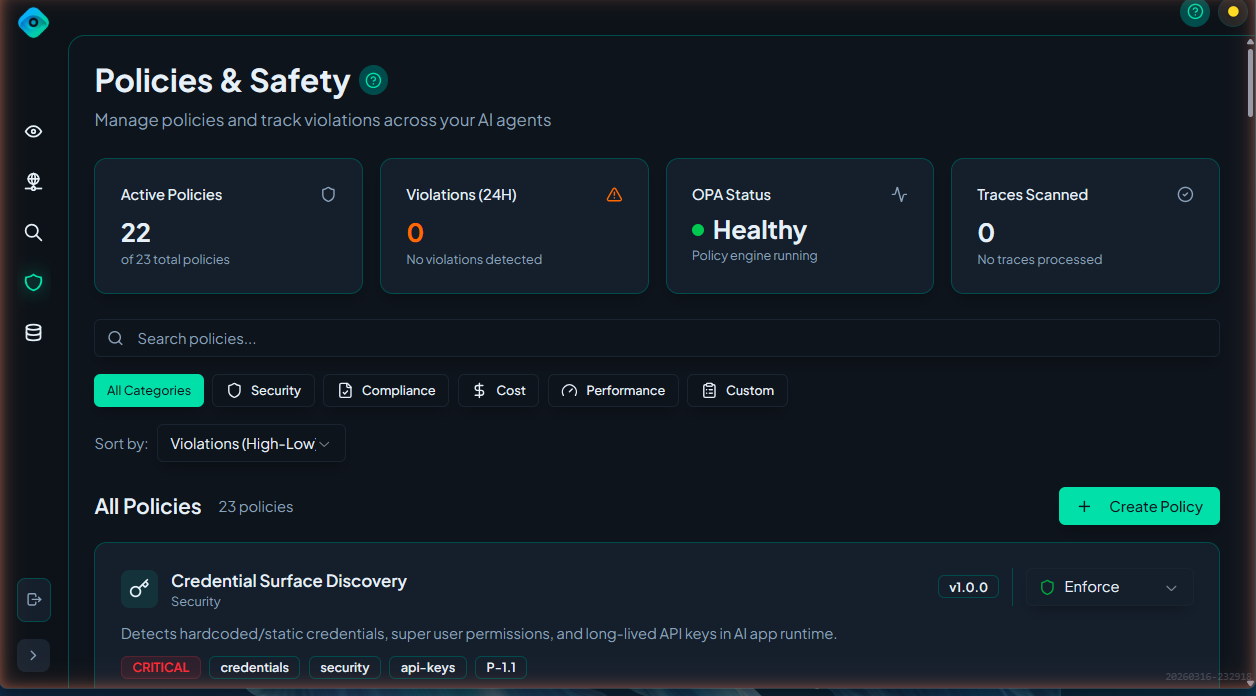
Credential Surface Discovery
ID: credential-surface-discovery · Severity: Critical · Default: Enabled (enforce)
Detects hardcoded/static credentials, super user permissions, and long-lived API keys in AI agent runtime.
What it detects:
- Hardcoded credentials — API keys, passwords, secret keys, bearer tokens, and private keys referenced in trace metadata
- Exposed provider API keys — Scans trace input/output and observations for provider-specific patterns:
- OpenAI (
sk-*,sk-proj-*,sk-svcacct-*) - Anthropic (
sk-ant-*) - AWS (
AKIA*) - GCP (private keys, service account JSON)
- Azure (connection strings, SAS tokens)
- GitHub (
ghp_*,gho_*,ghu_*,ghs_*,ghr_*,github_pat_*)
- OpenAI (
- Super user permissions —
admin,root,full_access,all_permissions, etc. - Long-lived tokens — Tokens exceeding a configurable max lifetime
Configuration (input.config):
| Parameter | Default | Description |
|---|---|---|
approved_credentials | ["oauth2_token", "short_lived_jwt", "delegated_credential", "managed_identity"] | Credential types that are allowed |
max_token_lifetime_hours | 24 | Maximum token lifetime before flagging |
PII Detection
ID: pii-detection · Severity: Critical · Default: Enabled (enforce)
Detects personally identifiable information in trace input/output using a PII pre-processor.
How it works:
- At least one entity in the trace must have the tag
detect_piiset to"true" - When the tag is present, LangGuard's PII pre-processor scans the trace and populates
input.pii_detection.matches - The policy emits a violation for each PII match found
What it detects:
- PII matches identified by the pre-processor (type, location, and span ID for each match)
- Missing pre-processor results when the
detect_piitag is present (warns of misconfiguration)
The pre-processor uses a Microsoft Presidio–aligned analyzer that assigns each match a confidence score, so you can tune sensitivity per policy.
Configuration (input.config):
| Parameter | Default | Description |
|---|---|---|
min_confidence | 0.3 | Minimum match confidence (0.0–1.0); lower-confidence matches are filtered out |
When to use: Enable for entities handling user data. Tag the relevant entities with detect_pii: "true" to activate scanning.
Non-Human Identity Violation
ID: nhi-violation · Severity: High · Default: Disabled
Validates that non-human identities (NHIs) have proper Entra enrichment and service principal configuration.
What it detects:
- NHI without IDP enrichment (no identity provider data)
- NHI without
service_principal_typeset - NHI with empty
service_principal_type - NHI with a disabled account in the identity provider
Notes:
- Skips evaluation in development environments (when the entity has
stage: devtag) - Requires Microsoft Entra ID integration for IDP enrichment data
Unapproved Tool Use
ID: unapproved-tool-use · Severity: High · Default: Enabled (enforce)
Flags tools that are not approved in the entity catalog.
What it detects:
- Unapproved tools — Tools with resource type
mcp_tool,function, ortoolthat don't haveapprovedstatus in the Data Catalog - Unresolved tools — Tools that couldn't be matched to any entity in the catalog
When to use: Enable to ensure agents only use sanctioned tools. Requires entities to be registered and approved in the Data Catalog.
Compliance Policies
Approved Model Version
ID: approved-model-version · Severity: High · Default: Disabled
Ensures only approved models deployed to production are used.
What it detects:
- Unapproved models — Models in the entity catalog with a status other than
approved - Non-production models — Models that are approved but not deployed to production stage
- Unregistered models — Models referenced in observations that have no entity catalog entry at all
When to use: Enable when you need to control which AI models are used in production. Requires models to be registered in the Data Catalog.
Latency/Health Threshold
ID: latency-health-threshold · Severity: Medium · Default: Disabled
Monitors request latency and error rates, flagging when operational thresholds are exceeded.
What it detects:
- Trace latency — Overall trace latency exceeding threshold
- Error status — Error, failed, timeout, or exception statuses in observations
- High error rate — Error count across observations exceeding rate threshold
- Context window limits — Input token counts exceeding configured maximum
Configuration (input.config):
| Parameter | Default | Description |
|---|---|---|
max_latency_ms | 5000 | Maximum trace latency in milliseconds |
max_error_rate | 0.1 | Maximum error rate (0.0–1.0) |
max_context_tokens | (disabled) | Maximum input tokens per observation |
Cross-Boundary Access
ID: cross-boundary-access · Severity: Critical · Default: Enabled (enforce)
Detects agents accessing tools, data, or models outside their authorized stage boundary.
Stage hierarchy:
| Stage | Level |
|---|---|
dev / poc | 0 |
staging | 1 |
prod | 2 |
Rules:
- Tools and data — An agent cannot access resources at a higher stage. For example, a
devagent cannot useprodtools. - Models — Reversed: a higher-stage agent cannot use a lower-stage model. For example, a
prodagent cannot use adevmodel (to prevent unstable models in production). Adevagent can use aprodmodel.
When to use: Enable to enforce environment isolation. Requires entities to have stage tags set in the Data Catalog.
Cost Policy
Budget Overrun Detection
ID: budget-overrun · Severity: High · Default: Disabled
Tracks aggregated spend against budget thresholds, flagging when spending exceeds configured limits.
What it detects:
- Budget threshold exceeded — Cumulative spend exceeding configured percentage of budget
- Trace cost exceeded — Individual trace cost exceeding per-trace limit
- Token limit exceeded — Total tokens per trace exceeding limit
- Cost anomaly — Trace cost exceeding 5x the configured average cost
Configuration (input.config):
| Parameter | Default | Description |
|---|---|---|
budget_threshold_percent | 80 | Percentage of budget that triggers a violation |
budget_usd | (required) | Total budget in USD |
max_cost_per_trace | 1.00 | Maximum cost per individual trace |
max_tokens_per_trace | (disabled) | Maximum total tokens per trace |
avg_cost_per_trace | (disabled) | Average cost for anomaly detection (5x triggers) |
Audit Policies
Mandatory Trace Logging
ID: mandatory-trace-logging · Severity: Low · Default: Enabled (enforce)
Verifies that traces include agent name and user identity metadata.
What it checks:
- Agent name (
gen_ai.agent.name) — Checked inmetadata.attributes,metadata.mappedGenAI.agentName, andmetadata.agent_name - User identity (
gen_ai.agent.user.id) — Checked inmetadata.attributesandmetadata.mappedGenAI.userId
When to use: Enable to ensure all traces are attributable to a specific agent and user for audit purposes.
Metadata Tagging Requirements
ID: metadata-tagging · Severity: Low · Default: Enabled (enforce)
Checks that traces have required governance metadata fields and tags.
What it detects:
- Missing required metadata — Configurable list of required fields (default:
ai_app_id,department) - Empty metadata values — Required fields that are present but empty
- Missing governance metadata — For sensitive operations (data classified as confidential/restricted), requires
security_classificationanddata_owner - Missing required tags — Configurable list of required trace tags
- Missing user attribution — Traces without
user_id,actor_id, oruserTypein metadata
Configuration (input.config):
| Parameter | Default | Description |
|---|---|---|
required_metadata | ["ai_app_id", "department"] | Fields required on all traces |
required_tags | [] | Tags required on all traces |
require_user_attribution | true | Whether user attribution is required |
Enabling Policies
Via UI
- Navigate to Policies
- Find the policy
- Toggle Enabled
Customizing Built-in Policies
You can customize built-in policies by editing their configuration:
- Click the policy to open details
- Click Edit
- Modify thresholds or patterns
- Click Save
Customizations are applied immediately to new traces. Existing violations are not re-evaluated.
Policy Evaluation Order
When multiple policies could apply to a trace:
- All enabled policies are evaluated
- Each policy runs independently
- All violations are recorded (no short-circuit)
- Violations are sorted by severity for display
Next Steps
- Creating Policies - Write custom policies
- Policy Violations - Managing violations