Creating Policies
There are two ways to create a custom policy in LangGuard: let the AI Policy Authoring wizard generate it from a plain-language description, or write the Rego yourself. This page covers both.
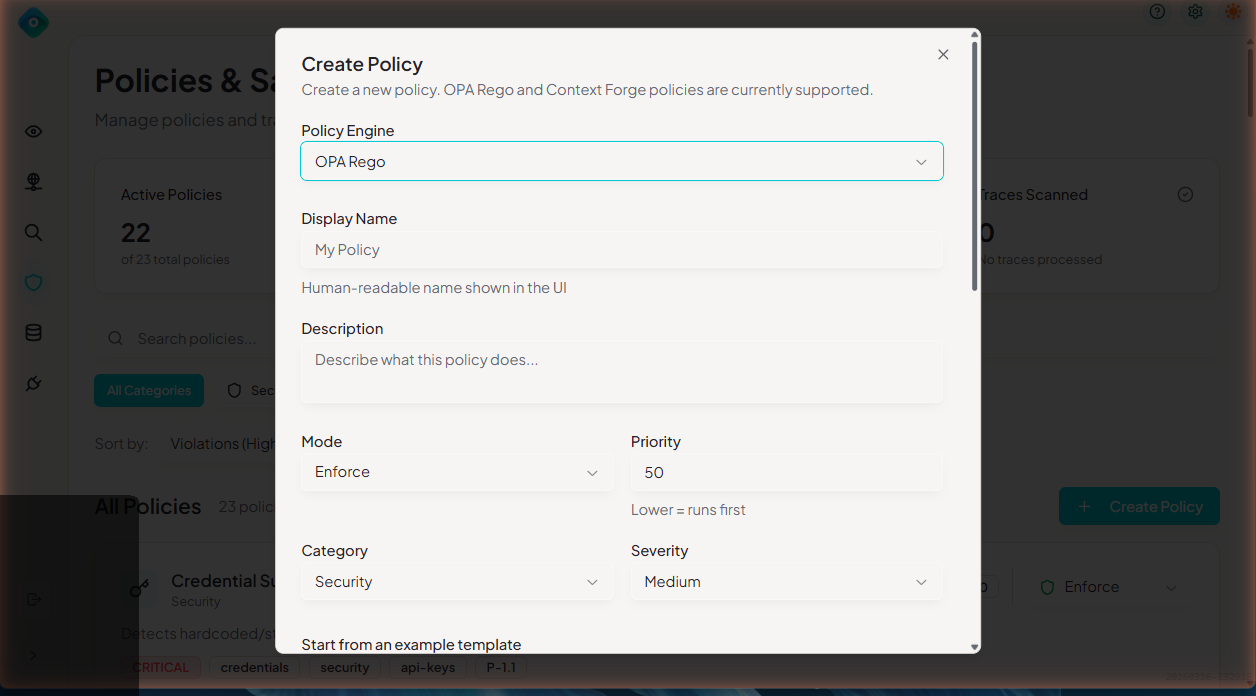
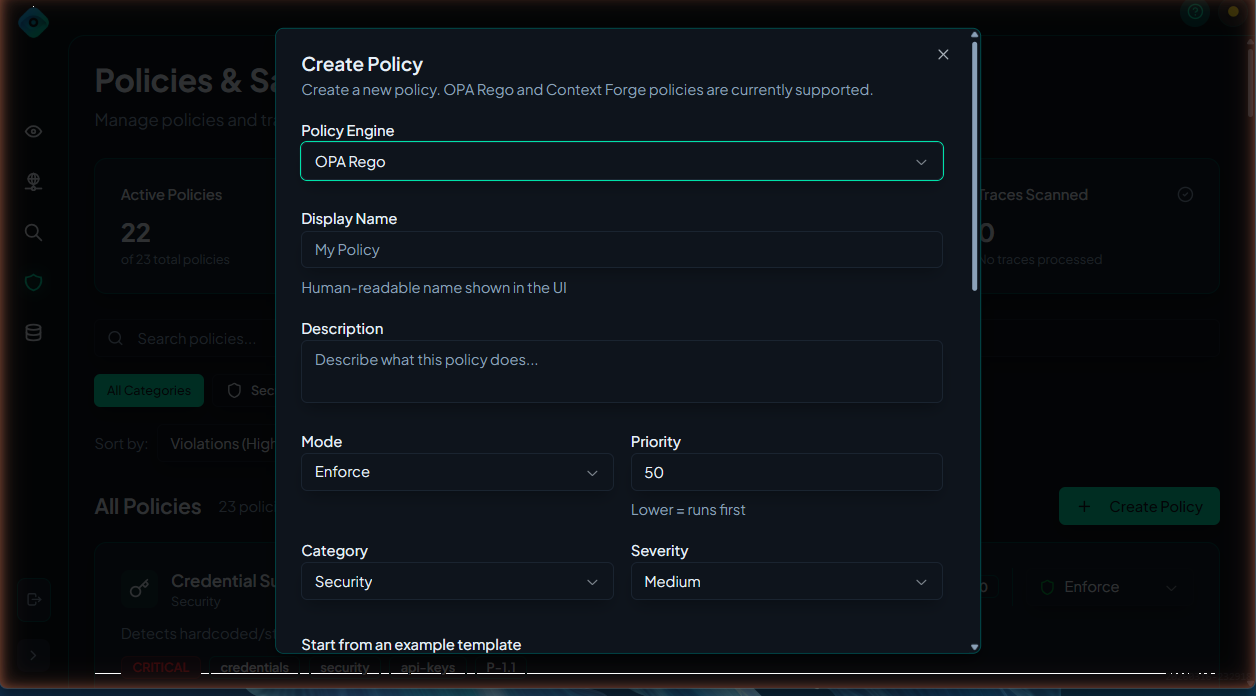
The AI Policy Authoring wizard generates, red-teams, and explains a Rego policy from a plain-language description — no Rego expertise required. The rest of this page covers writing Rego by hand.
Prerequisites
Before creating policies:
- You understand basic Rego syntax
- You have Member or Admin role in LangGuard
Policy Structure
Required Components
Every LangGuard policy needs:
package langguard.<policy_name>

import rego.v1

# Main violation rule
violation contains result if {
    # Evaluation logic

    result := {
        "type": "<violation_type>",
        "message": "Human-readable message",
        # Additional evidence fields as needed
    }
}
Full Example
package langguard.max_response_time

import rego.v1

# Detect slow responses using configurable threshold
violation contains result if {
    max_latency := object.get(input.config, "max_latency_ms", 5000)
    latency := object.get(input.trace.metadata, "latency_ms", 0)
    latency > max_latency

    result := {
        "type": "response_time_exceeded",
        "latency_ms": latency,
        "threshold_ms": max_latency,
        "message": sprintf("Response time exceeded threshold: %dms > %dms", [latency, max_latency]),
    }
}
Input Schema
Policies receive trace data and enrichment context as input:
{
  "trace": {
    "id": "tr_abc123",
    "name": "customer_query",
    "timestamp": "2024-03-15T10:30:00Z",
    "input": "...",
    "output": "...",
    "metadata": {
      "agent_name": "CustomerService",
      "latency_ms": 1234,
      "attributes": { "gen_ai.agent.name": "CustomerService" },
      "mappedGenAI": { "agentName": "CustomerService", "userId": "user-123" }
    },
    "tags": ["production"],
    "observations": [
      {
        "id": "obs_1",
        "type": "generation",
        "model": "gpt-4",
        "input": "...",
        "output": "...",
        "metadata": { "status": "success" },
        "usage": { "input": 850, "output": 400, "total": 1250 },
        "costDetails": { "total": 0.042 }
      }
    ]
  },
  "config": { },
  "entity_approval": {
    "entities": [ ],
    "unresolved_tools": [ ]
  },
  "catalog": { "tags": { "stage": "prod" } },
  "identity": { "user_id": "...", "classification": "human" }
}
Available Fields
| Field | Type | Description |
|---|---|---|
trace.id | string | Unique trace identifier |
trace.name | string | Operation name |
trace.timestamp | string | ISO timestamp |
trace.input | string | Trace input content |
trace.output | string | Trace output content |
trace.metadata | object | Custom metadata (attributes, mappedGenAI, etc.) |
trace.tags | array | Trace tags |
trace.observations | array | Child observations (generations, spans, events) |
config | object | Policy-specific configurable thresholds |
entity_approval | object | Entity catalog approval data and unresolved tools |
catalog | object | Catalog context (tags, stage, status) |
identity | object | Identity enrichment data (user_id, classification, idp) |
pii_detection | object | PII pre-processor results (when detect_pii tag is set) |
Creating a Policy
Via UI
- Navigate to Policies
- Click Create Policy
- Fill in details:
- Name: Unique identifier (lowercase, underscores)
- Display Name: Human-readable name
- Description: What the policy detects
- Category: Security & Access, Models & Compliance, Budget & Operations, Audit
- Severity: Critical, High, Medium, Low
- Write Rego code in the editor
- Click Test to validate
- Click Create
For programmatic policy management, see the API documentation.
Common Patterns
Pattern 1: Regex Matching
Detect patterns in text:
package langguard.profanity_filter

import rego.v1

profanity_patterns := ["badword1", "badword2", "badword3"]

violation contains result if {
    trace := input.trace
    output := lower(trace.output)
    some pattern in profanity_patterns
    contains(output, pattern)

    result := {
        "type": "profanity_detected",
        "message": "Inappropriate content detected in output",
        "pattern": pattern,
    }
}
Pattern 2: Threshold Checking
Enforce numeric limits:
package langguard.max_tokens

import rego.v1

violation contains result if {
    max_tokens := object.get(input.config, "max_tokens_per_trace", 4000)
    total_tokens := sum([tokens |
        some obs in input.trace.observations
        obs.usage
        tokens := object.get(obs.usage, "total", 0)
    ])
    total_tokens > max_tokens

    result := {
        "type": "token_limit_exceeded",
        "total_tokens": total_tokens,
        "max_allowed": max_tokens,
        "message": sprintf("Token count %d exceeds limit of %d", [total_tokens, max_tokens]),
    }
}
Pattern 3: Allowlist/Blocklist
Control allowed values:
package langguard.approved_models

import rego.v1

approved_models := {"gpt-4", "gpt-4-turbo", "claude-3-opus"}

violation contains result if {
    some obs in input.trace.observations
    obs.model
    not approved_models[obs.model]

    result := {
        "type": "unapproved_model",
        "model": obs.model,
        "span_id": obs.id,
        "message": sprintf("Model '%s' is not approved for use", [obs.model]),
    }
}
Pattern 4: Observation Analysis
Check individual observations:
package langguard.slow_llm_calls

import rego.v1

violation contains result if {
    some obs in input.trace.observations
    obs.type == "generation"
    latency := object.get(obs.metadata, "latency_ms", 0)
    latency > 10000

    result := {
        "type": "slow_llm_call",
        "span_id": obs.id,
        "latency_ms": latency,
        "message": sprintf("LLM call '%s' took %dms", [obs.id, latency]),
    }
}
Pattern 5: Conditional Logic
Complex evaluation:
package langguard.production_guardrails

import rego.v1

violation contains result if {
    catalog := object.get(input, "catalog", {})
    tags := object.get(catalog, "tags", {})
    lower(object.get(tags, "stage", "")) == "prod"

    some obs in input.trace.observations
    obs.model == "gpt-4-turbo"
    total := object.get(obs.usage, "total", 0)
    total > 8000

    result := {
        "type": "expensive_production_usage",
        "model": obs.model,
        "tokens": total,
        "message": "High token usage with expensive model in production",
    }
}
Testing Policies
Test in UI
- Open the policy editor
- Click Test
- Enter sample trace JSON
- View evaluation results
Test with OPA CLI
# Save policy to file
cat > policy.rego << 'EOF'
package langguard.test_policy
import rego.v1
violation contains result if { ... }
EOF

# Test with input
echo '{"trace": {"id": "test", "metadata": {}, "observations": []}, "config": {}}' \
  | opa eval -d policy.rego 'data.langguard.test_policy.violation'
Unit Testing
Write OPA tests:
package langguard.test_policy_test

import rego.v1

test_violation_triggered if {
    result := data.langguard.test_policy.violation with input as {
        "trace": {"metadata": {}, "observations": [{"usage": {"total": 5000}}]},
        "config": {"max_tokens_per_trace": 4000},
    }
    count(result) > 0
}

test_no_violation if {
    result := data.langguard.test_policy.violation with input as {
        "trace": {"metadata": {}, "observations": [{"usage": {"total": 100}}]},
        "config": {"max_tokens_per_trace": 4000},
    }
    count(result) == 0
}
Run tests:
opa test . -v
Best Practices
1. Use Meaningful Names
# Good
package langguard.pii_email_detection
import rego.v1

# Bad
package langguard.policy1
2. Include Evidence
Always include what triggered the violation:
result := {
    ...
    "evidence": {
        "found_value": actual_value,
        "expected": threshold,
        "location": "output.text"
    }
}
3. Set Appropriate Severity
| Severity | Use When |
|---|---|
| Critical | Security breach, data loss risk |
| High | Policy violation requiring action |
| Medium | Should be reviewed |
| Low | Informational |
4. Handle Missing Data
violation contains result if {
    # Use object.get with defaults to safely access nested fields
    cost := object.get(input.trace.metadata, "cost", 0)
    cost > 0.10
    ...
}
5. Document Your Policies
Add comments explaining the logic:
package langguard.gdpr_compliance

import rego.v1

# GDPR Compliance Policy
#
# Detects potential GDPR violations including:
# - Processing EU citizen data without consent flag
# - Missing data retention metadata
# - Cross-border data transfer indicators
#
# Requires traces to include:
# - metadata.user_region
# - metadata.consent_given
# - metadata.data_retention_days

violation contains result if {
    # ... implementation
}
Debugging
Policy Not Triggering
- Check policy is enabled
- Verify Rego syntax is correct
- Test with known-matching input
- Check OPA server logs
Unexpected Violations
- Review the evidence in violation details
- Check for overly broad regex patterns
- Verify threshold values
- Test edge cases
Next Steps
- Policy Violations - Managing violations
- Troubleshooting - Common issues