Policies Overview
LangGuard's policy engine enables automated governance and compliance for AI operations. Define rules, detect violations, and ensure your AI systems meet organizational standards.
What Are Policies?
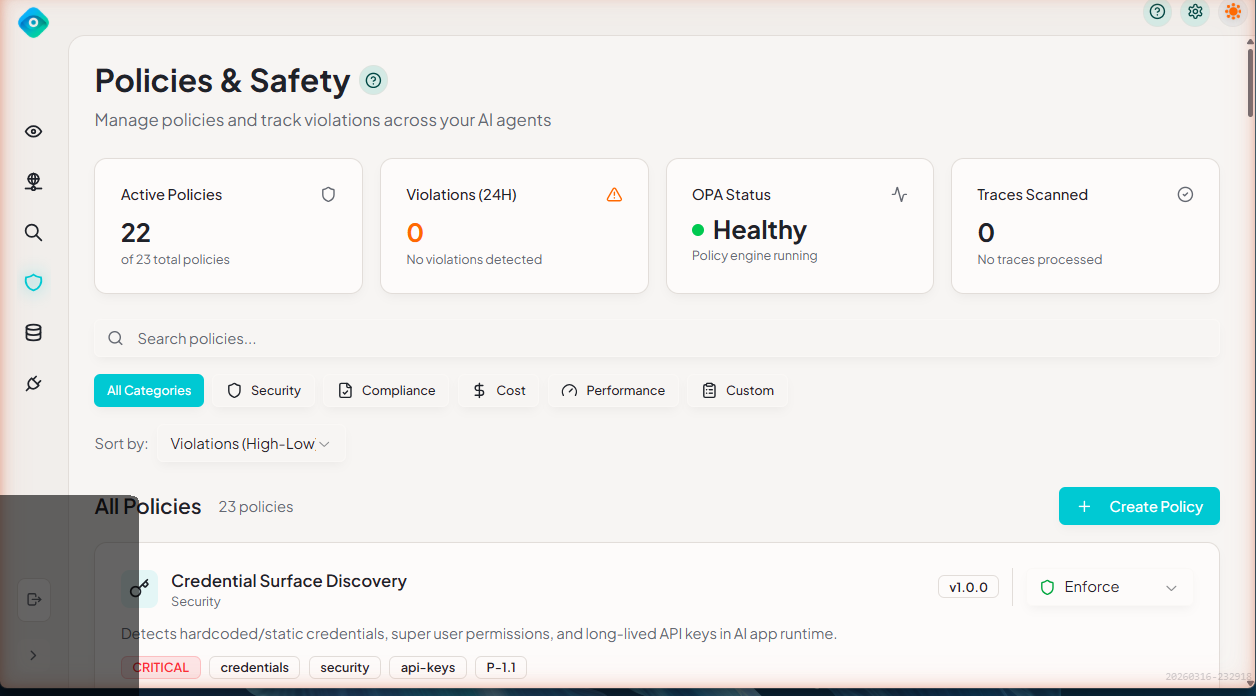
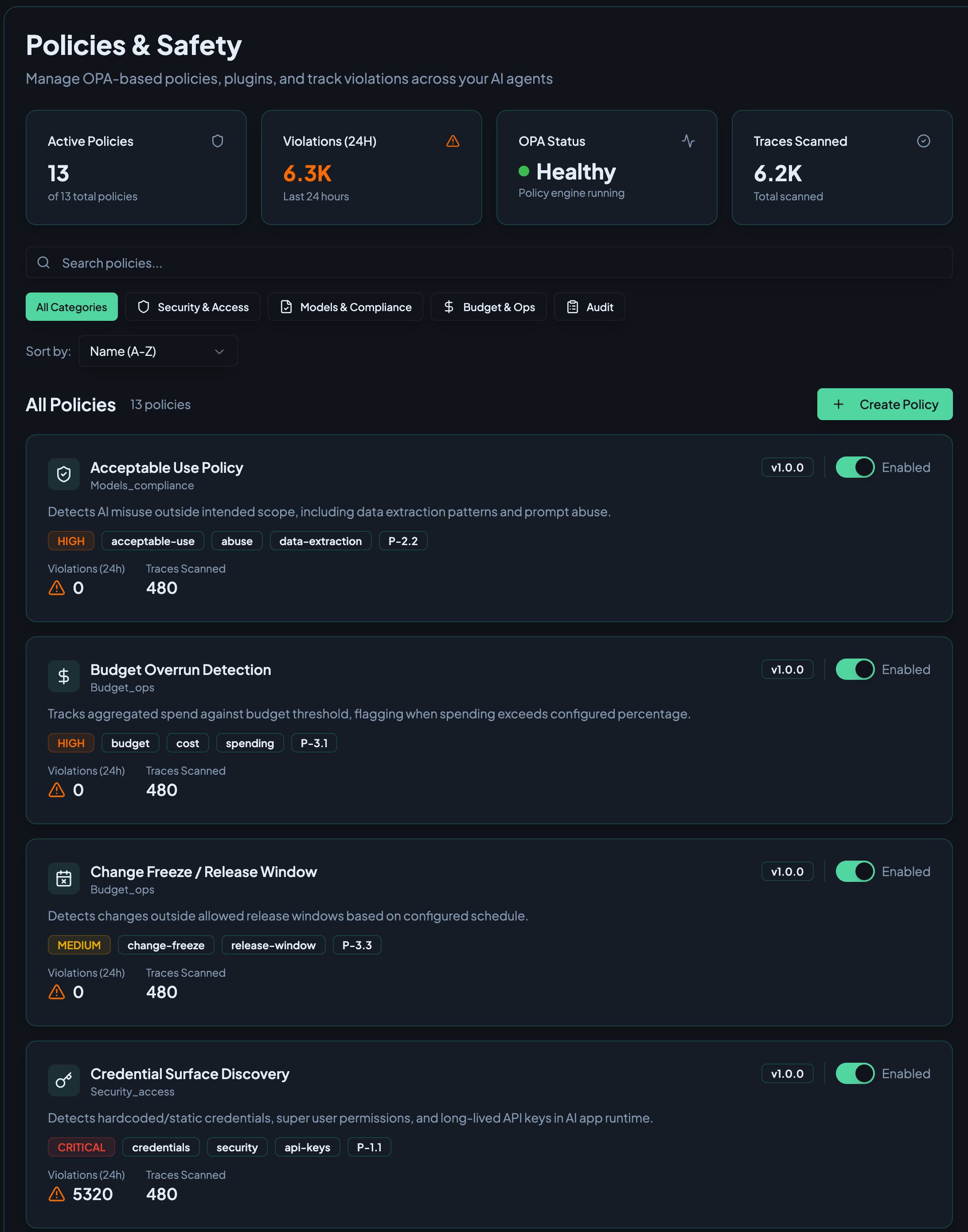
Policies are rules that evaluate AI agent traces to detect:
- Security risks - PII exposure, credential leaks, unapproved tools, identity violations
- Compliance violations - Model approval, cross-boundary access, audit requirements
- Cost overruns - Budget thresholds, per-trace cost limits, token limits
- Operational health - Latency thresholds, error rates, metadata completeness
How It Works
LangGuard uses Open Policy Agent (OPA) with policies written in Rego:
Trace Ingested → Policy Evaluation → Violations Logged → Webhooks Triggered
┌─────────────────┐     ┌─────────────────┐     ┌─────────────────┐
│   New Trace     │────▶│   OPA Server    │────▶│   Violations    │
│   Arrives       │     │   (Rego Eval)   │     │   Recorded      │
└─────────────────┘     └─────────────────┘     └─────────────────┘
OPA Engine Health
The Policies page displays an OPA engine health status indicator showing whether the policy evaluation engine is running correctly. A healthy status means policies are being evaluated in real time as traces arrive. If the engine is unhealthy, policy evaluations are queued and processed once the engine recovers.
Policy Evaluation Pipeline
When a new trace is ingested:
- Trace received — LangGuard receives the trace from a connected integration
- Policy selection — All enabled policies are identified
- OPA evaluation — Each enabled policy's Rego code is evaluated against the trace data
- Violation recording — Any violations are recorded with severity, evidence, and the originating policy
- Notifications — Configured webhooks are triggered for violations
Policy Components
Policy Definition
Each policy includes:
| Component | Description |
|---|---|
| Name | Unique identifier |
| Description | What the policy detects |
| Category | Security & Access, Models & Compliance, Budget & Operations, Audit |
| Severity | Critical, High, Medium, Low |
| Rego Code | The evaluation logic |
| Mode | Enforce, Permissive, or Disabled |
| Enabled | Active or disabled |
Example Policy
package langguard.pii_detection

import rego.v1

# Emit a violation for each PII match when the detect_pii tag is present
violation contains result if {
    has_pii_tag
    pii := object.get(input, "pii_detection", {})
    pii.found == true
    some match in pii.matches

    result := {
        "type": "pii_detected",
        "pii_type": match.type,
        "location": match.location,
        "message": sprintf("PII detected (%s) in %s", [match.type, match.location]),
    }
}
Built-in Policies
LangGuard includes pre-configured policies across all categories:
| Policy | Category | Severity | Default |
|---|---|---|---|
| Credential Surface Discovery | Security & Access | Critical | Enabled |
| PII Detection | Security & Access | Critical | Enabled |
| Non-Human Identity Violation | Security & Access | High | Disabled |
| Unapproved Tool Use | Security & Access | High | Enabled |
| Approved Model Version | Models & Compliance | High | Disabled |
| Latency/Health Threshold | Models & Compliance | Medium | Disabled |
| Cross-Boundary Access | Models & Compliance | Critical | Enabled |
| Budget Overrun Detection | Budget & Operations | High | Disabled |
| Mandatory Trace Logging | Audit | Low | Enabled |
| Metadata Tagging Requirements | Audit | Low | Enabled |
Documentation
- Built-in Policies - Details on all pre-configured policies
- Creating Policies - Write custom policies with Rego
- Policy Violations - Understanding and managing violations
Policy Modes
Each policy can operate in one of three modes:
| Mode | Behavior |
|---|---|
| Enforce | Violations are logged and the action is blocked. Use for critical policies that must prevent harmful behavior. |
| Permissive | Violations are logged but the action is allowed to proceed. Use for monitoring and tuning new policies before enforcing them. |
| Disabled | The policy is not evaluated. No violations are recorded. |
Choosing a Mode
- Start with Permissive — When deploying a new policy, use Permissive mode first to observe what it catches without impacting operations
- Promote to Enforce — Once you're confident the policy is correctly calibrated, switch to Enforce mode
- Use Disabled sparingly — Only disable policies you no longer need; consider Permissive mode instead for policies you want to pause temporarily
Best Practices
1. Start with Built-in Policies
Enable built-in policies first to establish baseline governance:
- Enable "Credential Surface Discovery" and "PII Detection" for security
- Enable "Cross-Boundary Access" to enforce environment isolation
- Enable "Budget Overrun Detection" to control costs
2. Tune Severity Levels
Adjust severity based on your risk tolerance:
- Critical: Must be addressed immediately
- High: Review same day
- Medium: Review weekly
- Low: Informational only
3. Review Violations Regularly
Establish a violation review process:
- Daily: Check critical violations
- Weekly: Review all violations
- Monthly: Analyze trends, adjust policies
4. Create Custom Policies
After understanding built-in policies, create custom ones for:
- Company-specific compliance requirements
- Application-specific guardrails
- Industry regulations
Next Steps
- Built-in Policies - Explore available policies
- Creating Policies - Write your own
- Troubleshooting - Get help with common issues