Data Catalog
The Data Catalog provides a unified view of all AI entities discovered from your integrations, including agents, models, tools, downstream systems, and identities.
Overview
Access the Data Catalog from the main navigation sidebar. It displays all discovered entities with their type, source, approval status, and tags.
Grid View
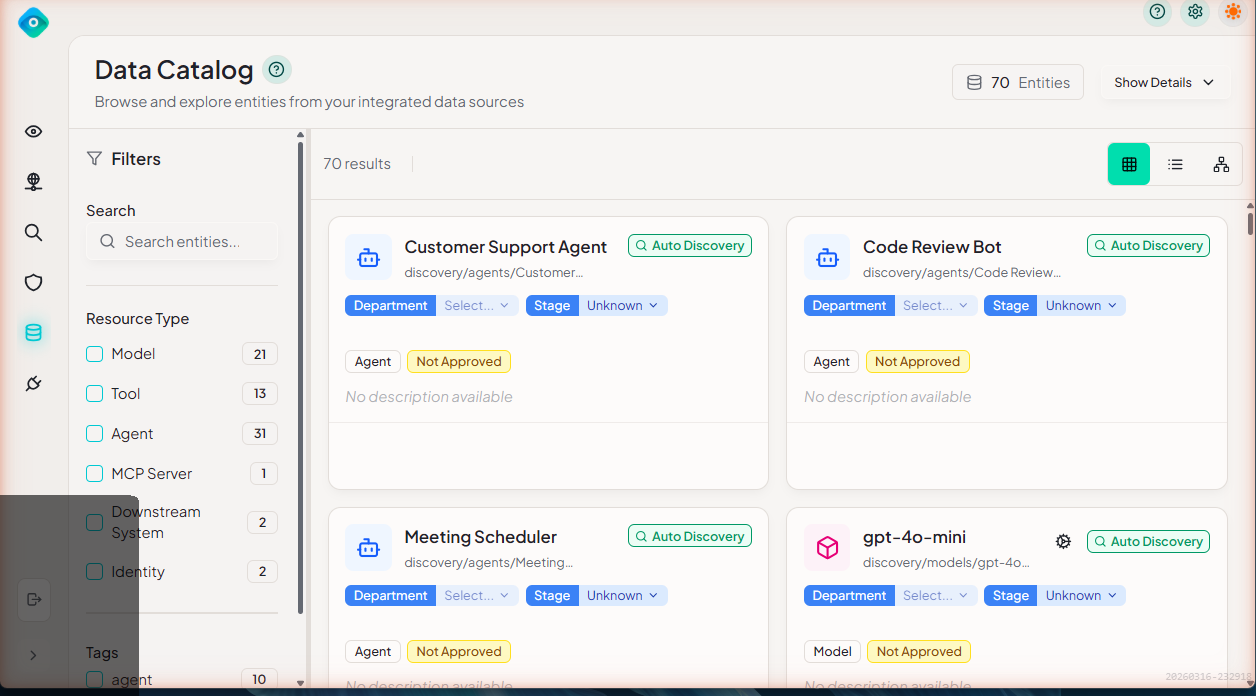
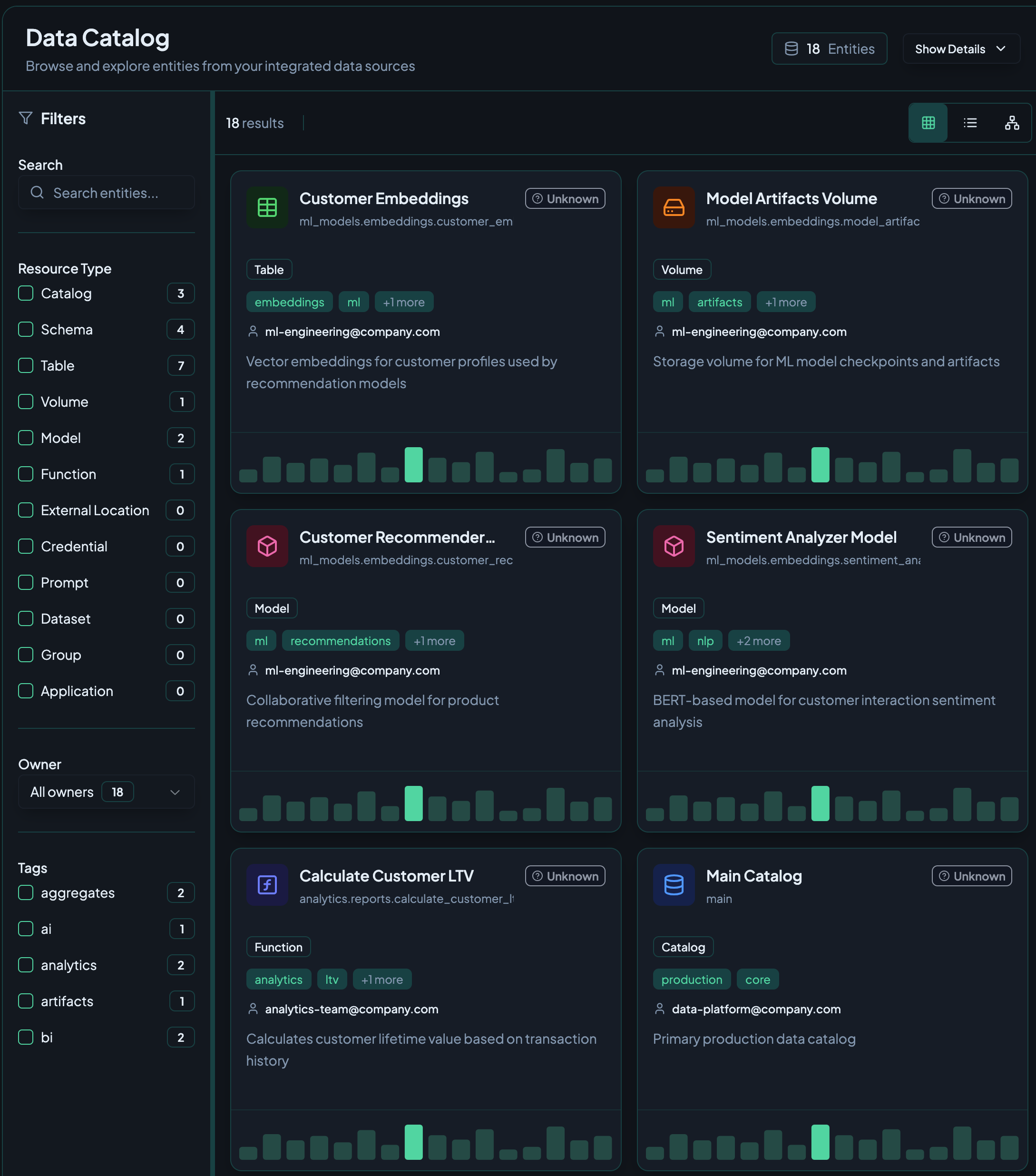
The grid view displays entities as cards showing the entity name, path, department, deployment stage, type badge, and approval status. Use the filters panel on the left to narrow results by resource type or tags.
List View
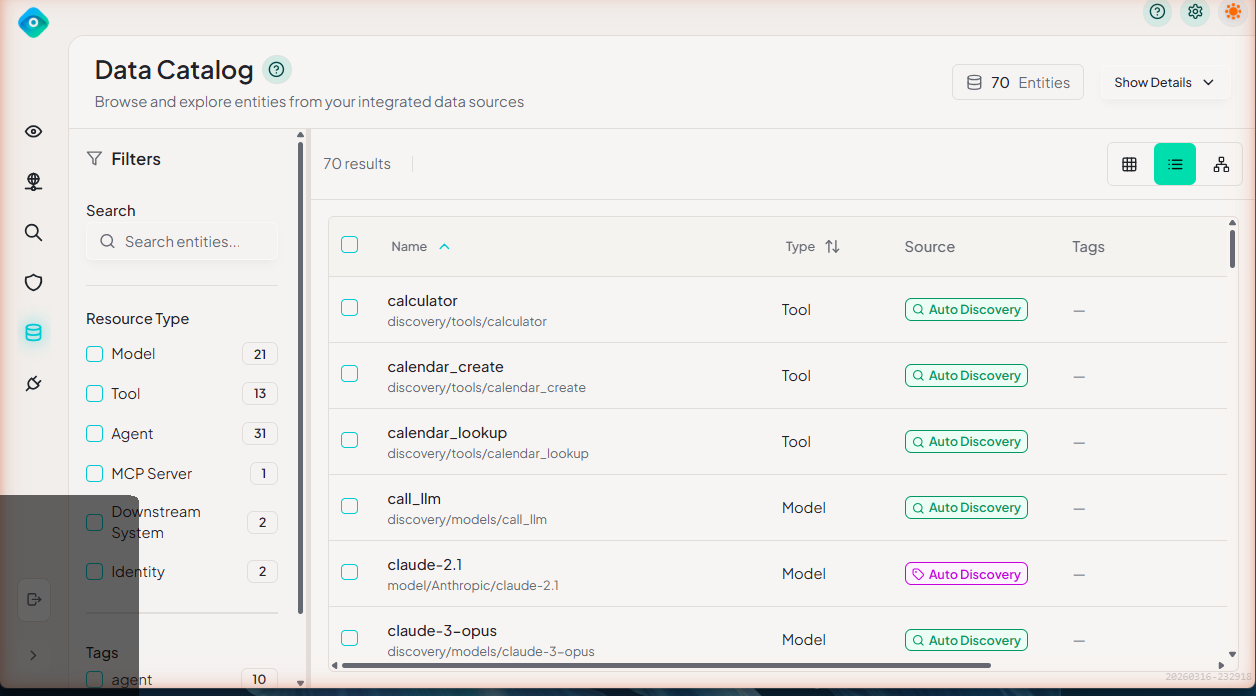
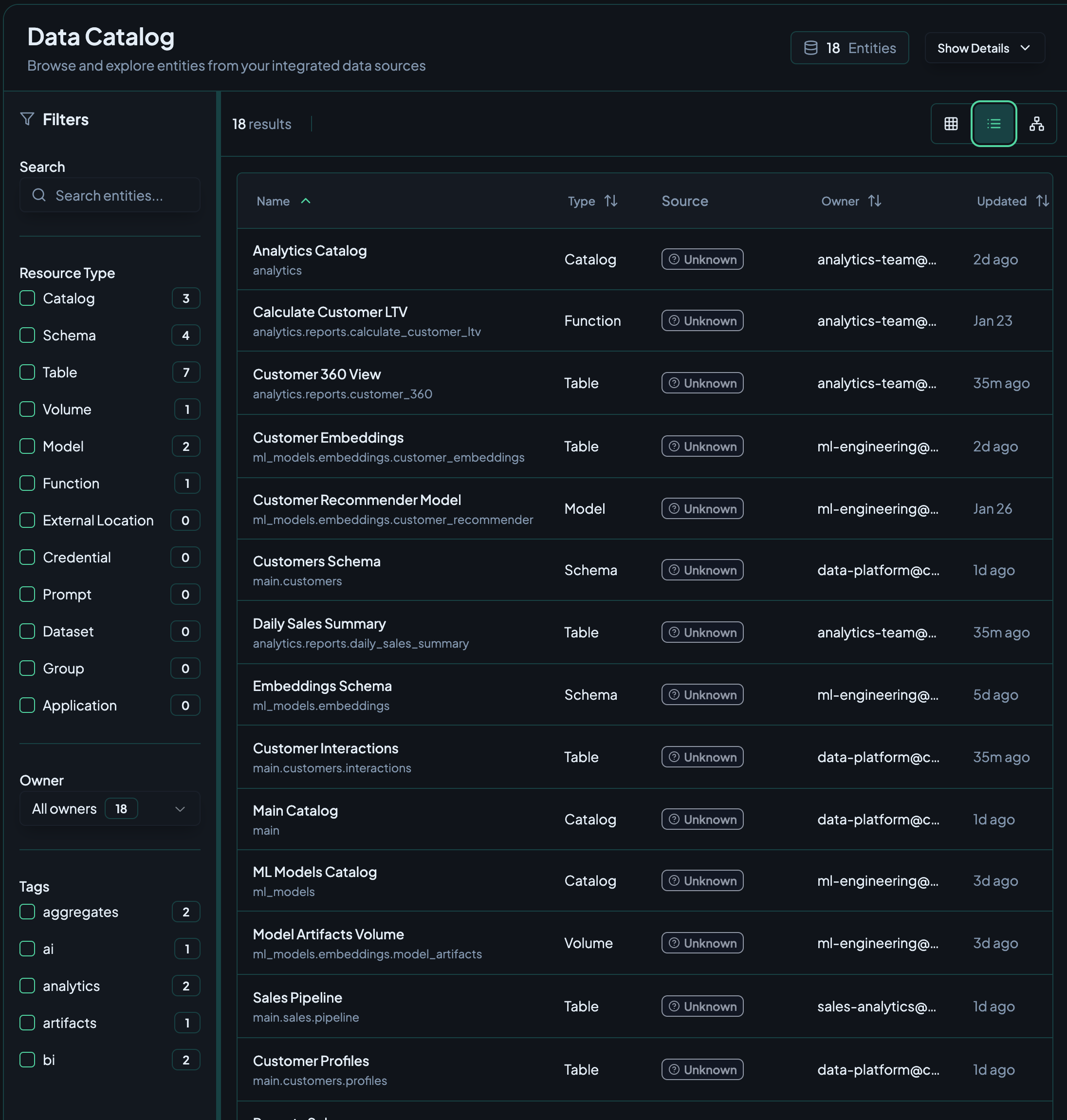
Switch to list view for a sortable table format showing entity name, type, source, and tags columns.
Graph View
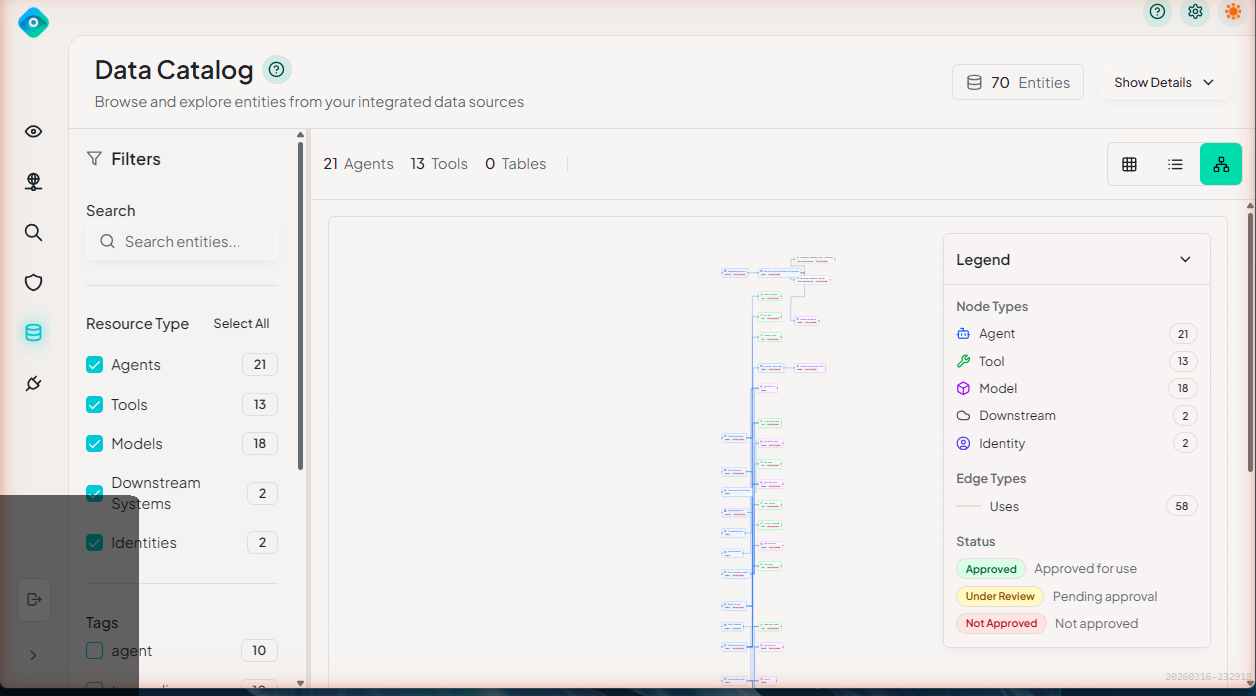
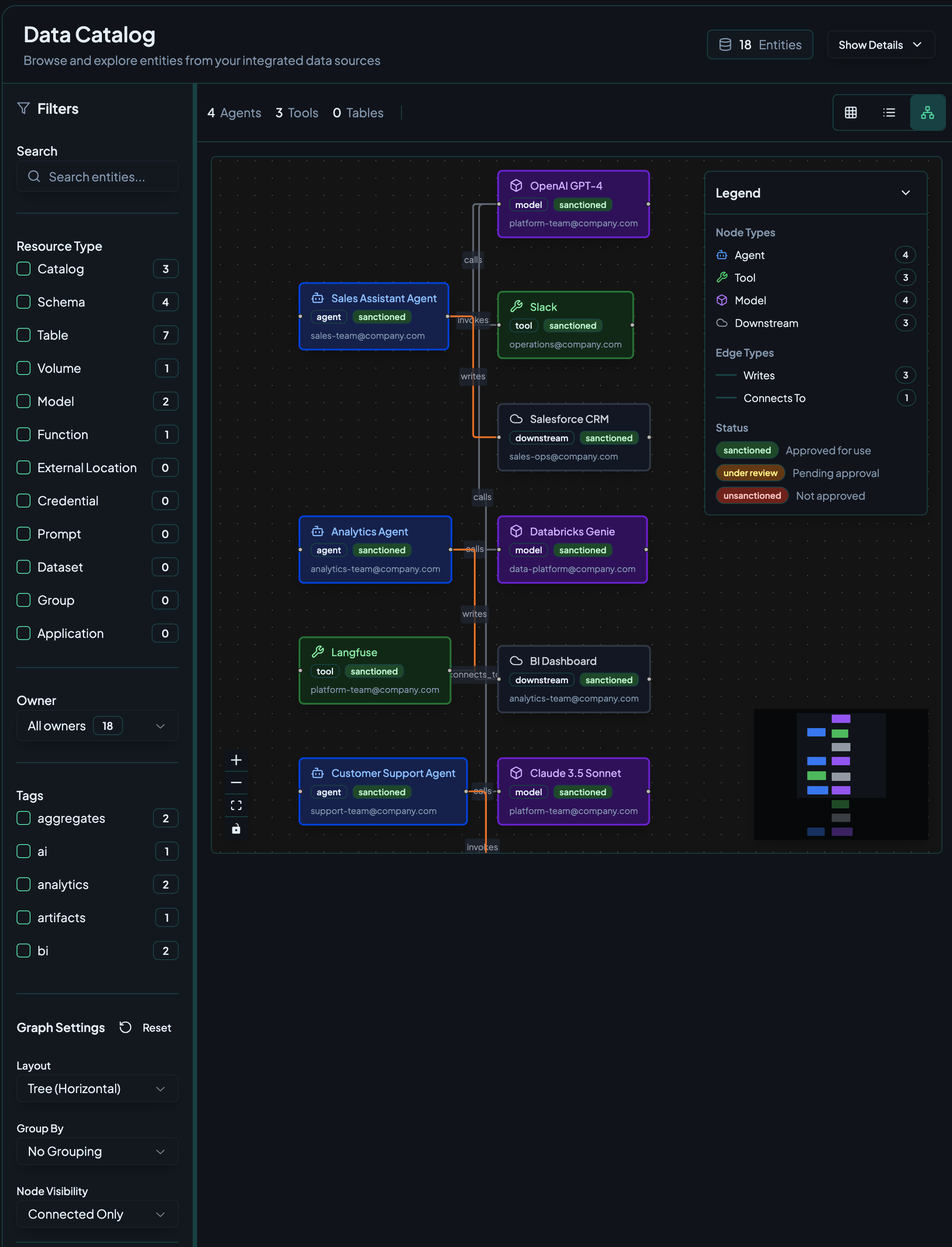
The graph view visualizes relationships between entities — agents, tools, models, and downstream systems.
Graph Controls
- Zoom — Scroll to zoom in/out, or use the +/- controls
- Pan — Click and drag the background to pan the view
- Select — Click a node to select it and view its details
- Search — Press Ctrl+F (⌘F on Mac) to search for a node by name and jump to it
- Recenter — Click the recenter button to reset the view to fit all nodes
Legend
The graph legend (displayed in the corner of the graph view) explains the visual encoding:
- Node types — Different shapes or colors represent agents, models, tools, downstream systems, and identities
- Edge types — Lines represent relationships (e.g., "Uses")
- Approval status — Color coding indicates status: Approved (green), Under Review (yellow), or Not Approved (red)
Entity Detail Panel
Click any node in the graph to open its detail panel, which shows:
- Entity name and type
- Approval status and deployment stage
- Connected entities — What it connects to in the graph
- Tags applied to the entity
- Recent activity — Last seen and trace count
When you follow a connected entity, the drawer keeps a breadcrumb trail at the top so you can see where you've navigated and use Back to return to the previous entity without losing your place.
Model Cost Information
Click a model node to see cost details:
- Cost per 1K input tokens and output tokens (from Cost Estimates)
- Total estimated cost for the selected time period
- Token usage — Total input and output tokens consumed
Filtering and Search
Search
Use the search bar to find entities by name:
🔍 Search entities...
Resource Type Filters
Filter entities by type using the checkboxes in the Filters panel:
- Model — LLM models (e.g., gpt-4o-mini, claude-3-opus)
- Tool — Tools and functions called by agents
- Agent — AI agents discovered from traces
- MCP Server — Model Context Protocol servers
- Downstream System — External systems agents interact with
- Identity — Non-human identities associated with agents
Tag Filters
Filter by tags applied to entities. Tags can be managed from the Tags settings page.
MCP Servers
LangGuard automatically discovers MCP (Model Context Protocol) servers from trace activity and treats them as first-class catalog entities:
- Auto-discovery — MCP servers are detected from traces; no manual registration
- Tool roll-up — the individual MCP tools an agent calls are grouped under their parent MCP server node, so the catalog stays readable instead of showing dozens of loose tool nodes
- Official badge — recognized official MCP servers are marked with a badge so you can tell vetted servers from unknown ones at a glance
MCP servers participate in approval and policy enforcement just like other entities.
Entity Properties
Each entity in the catalog has the following properties:
| Property | Description |
|---|---|
| Name | The entity's display name |
| Path | The fully qualified path (e.g., discovery/agents/CustomerSupport) |
| Type | Agent, Model, Tool, MCP Server, Downstream System, or Identity |
| Source | How the entity was discovered (e.g., Auto Discovery) |
| Department | Organizational department assignment |
| Stage | Deployment stage (e.g., Unknown, Dev, Staging, Prod) |
| Approval Status | Approved, Under Review, or Not Approved |
| Tags | Labels for categorization |
Approval Status
Each entity has an approval status that indicates whether it has been reviewed and sanctioned for use:
| Status | Meaning |
|---|---|
| Approved | Reviewed and approved for use |
| Under Review | Pending approval from governance team |
| Not Approved | Not yet reviewed or explicitly blocked |
Approval status is used by policies like Unapproved Tool Use and Approved Model Version to enforce governance rules.
Show Details
Use the Show Details toggle in the top-right corner to expand or collapse additional metadata on entity cards in the grid view, such as department, stage, and description fields.
Integration with Policies
The Data Catalog works closely with governance policies:
- Unapproved Tool Use — Flags tools that are not marked as Approved in the catalog
- Approved Model Version — Ensures only approved models are used in production
- Cross-Boundary Access — Uses the Stage property to enforce environment isolation
Best Practices
1. Review Discovered Entities
Regularly review newly discovered entities and set their approval status appropriately.
2. Use Consistent Tags
Establish tagging conventions:
- Environment:
production,staging,development - Team:
team:analytics,team:ml - Compliance:
pii,confidential
3. Set Deployment Stages
Assign accurate deployment stages to entities so cross-boundary access policies can enforce environment isolation.
4. Approve Sanctioned Assets
Mark reviewed entities as Approved so governance policies can distinguish sanctioned from unsanctioned usage.
Next Steps
- Discovery - How entities are discovered
- Policies - Set up data governance policies
- Integrations - Configure integrations